배경
목표
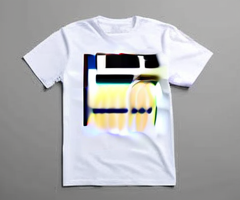
그림을 명령대로 그려주는 모델들(Stable Diffusion 3.5, SDXL)로 특정 화풍으로 그려내고, 이를 옷에 인쇄한 모습의 Mock-up 생성
(LoRA 기법으로 tuning 방법은 추후 작성)
주의
아래 코드는 이해를 돕기 위한 예시로서, 각각 다른 여러 버전에서 짜깁기하여 작성한 것이다.
Tools and Enviroments
- Mac Book Pro 16" - 64GB 통합 RAM, Apple M3 Max(16core CPU, 40core GPU, 16core Neural Engine)
- Python 3.13 (3.14.0 버전에서는 지원 하지 않는 package 있음)
- OpenCV
- rem-bg
- Stable Diffusion 3.5
- SDXL
- StableDiffusionImg2ImgPipeline
- ControlNet
- diffusers (LoRA)
요약
결과적으로 성공적인 결과를 만들지 못했다.
시작은 간단하게 다음과 같이 간단하게 하려 했다.
Concept
피사체가 뚜렷이 찍힌 사진 입력
배경 제거 (rem-bg)
from rembg import new_session, remove
from PIL import Image

session = new_session(
    model_name="u2net",
    sess_options=sess_opts,
    providers=providers,
)

try:
    with Image.open(input_path) as img:
        result = remove(img, session=session)
        result.save(output_path)
    print(f"Processed: {input_path} → {output_path}")
except Exception as e:
print(f"Error processing {input_path}: {e}")Pipeline
# ===== 0) 런타임/환경 =====
os.environ.pop("PYTORCH_MPS_HIGH_WATERMARK_RATIO", None)
os.environ.pop("PYTORCH_MPS_LOW_WATERMARK_RATIO", None)
os.environ["PYTORCH_ENABLE_MPS_FALLBACK"] = "0"

torch.set_grad_enabled(False)
device = "mps" if torch.backends.mps.is_available() else ("cuda" if torch.cuda.is_available() else "cpu")
DTYPE = torch.float16 if device in ("mps","cuda") else torch.float32def load_sd3_pipelines():
print(f"[LOAD] SD3.5 on {device} (dtype={DTYPE})")
p_inp = StableDiffusion3InpaintPipeline.from_pretrained(
MODEL_ID_SD3, torch_dtype=DTYPE, use_safetensors=True, low_cpu_mem_usage=True
).to(device)
p_i2i = None
if LOAD_IMG2IMG:
p_i2i = StableDiffusion3Img2ImgPipeline.from_pretrained(
MODEL_ID_SD3, torch_dtype=DTYPE, use_safetensors=True, low_cpu_mem_usage=True
).to(device)
for p in filter(None, (p_inp, p_i2i)):
if getattr(p, "safety_checker", None):
p.safety_checker = lambda images, clip_input: (images, [False]*len(images))
try:
p.enable_attention_slicing()
p.vae.enable_slicing()
p.vae.enable_tiling()
except: pass
_install_hooks_everywhere(p)
_maybe_load_cyber_adapters(p)
print("[DTYPES] inpaint:", next(p_inp.transformer.parameters()).dtype, "/", next(p_inp.vae.parameters()).dtype)
return p_inp, p_i2i피사체 모습 Mask 생성 (OpenCV)
from PIL import Image

src_rgba = Image.open(INIT_PATH).convert("RGBA")
src_rgb  = src_rgba.convert("RGB")

rgba  = np.array(src_rgba)
alpha = rgba[..., 3]

bg_mask_np = (alpha == 0).astype(np.uint8) * 255
transparent_ratio = (bg_mask_np > 0).mean()

if transparent_ratio < 0.02:
    rgb = np.array(src_rgb).astype(np.uint8)
    r, g, b = rgb[..., 0], rgb[..., 1], rgb[..., 2]
    near_black = (r < 20) & (g < 20) & (b < 20)
    h, w = near_black.shape
    visited = np.zeros((h, w), dtype=bool)
    bg_mask_np = np.zeros((h, w), dtype=np.uint8)
    from collections import deque
    q = deque()
    for x in range(w):
        q.append((0, x)); q.append((h-1, x))
    for y in range(h):
        q.append((y, 0)); q.append((y, w-1))
    while q:
        y, x = q.popleft()
        if y<0 or y>=h or x<0 or x>=w: continue
        if visited[y, x] or not near_black[y, x]: continue
        visited[y, x] = True
        bg_mask_np[y, x] = 255
        q.extend(((y-1,x), (y+1,x), (y,x-1), (y,x+1)))
    kernel = np.ones((3,3), np.uint8)
    bg_mask_np = cv2.morphologyEx(bg_mask_np, cv2.MORPH_CLOSE, kernel, iterations=1)

bg_mask = Image.fromarray(bg_mask_np, mode="L")
bg_mask.save("debug_mask.png") # For debugging피사체 inpaint
def call_sd3(pipe, *, image, mask_image, prompt, negative_prompt,
             steps, guidance, strength, seed):
    g = torch.Generator(device="cpu").manual_seed(seed)
    if isinstance(mask_image, Image.Image) and mask_image.mode != "L":
        mask_image = mask_image.convert("L")

    with torch.inference_mode(), torch.autocast(device_type=device, dtype=DTYPE):
        out = pipe(
            prompt=prompt,
            negative_prompt=negative_prompt,
            image=image,
            mask_image=mask_image,   # 흰=수정(채움)
            num_inference_steps=int(steps),
            guidance_scale=float(guidance),
            strength=float(strength),
            width=WIDTH, height=HEIGHT,
            generator=g,
            num_images_per_prompt=1,
        ).images[0]
return outseed1 = new_seed()
styled_subject = call_sd3(
pipe,
image=src_rgb,
mask_image=subject_mask_f,
prompt=subj_prompt,
negative_prompt=s["neg"],
steps=max(12, S1_STEPS),
guidance=S1_GUIDE,
strength=S1_STRENGTH,
seed=seed1,
)피사체를 제외한 영역(배경 영역) 그리기
refined = call_sd3(
            pipe,
            image=base,
            mask_image=bg_mask_f,
            prompt=prompt_bg,
            negative_prompt=neg_all,
            steps=max(12, S2_STEPS-2),
            guidance=S2_GUIDE,
            strength=0.22,    # 배경 보정은 약하게
            seed=seed2,
)LoRA 활용 Tuning 배경일 경우,
from PIL import Image

try:
    from diffusers import StableDiffusionXLPipeline
    _HAS_SDXL = True
except Exception:
    _HAS_SDXL = False

def _pil_rgb(img: Image.Image) -> Image.Image:
    return img.convert("RGB") if img.mode != "RGB" else img

def gen_sdxl_bg(width: int, height: int, prompt: str, negative: str, seed: int) -> Image.Image:
    if not _HAS_SDXL:
        raise RuntimeError("StableDiffusionXLPipeline not exist")
    print(f"[SDXL] device={device} | dtype=torch.float32 | {width}x{height}")
    pipe = StableDiffusionXLPipeline.from_pretrained(
        MODEL_ID_SDXL, torch_dtype=torch.float32, use_safetensors=True
    ).to(device)
    if getattr(pipe, "safety_checker", None):
        pipe.safety_checker = lambda images, clip_input: (images, [False]*len(images))
    g = torch.Generator(device="cpu").manual_seed(seed)
    img = pipe(
        prompt=prompt, negative_prompt=negative,
        width=width, height=height,
        num_inference_steps=28, guidance_scale=6.0,
        generator=g, output_type="pil",
    ).images[0]
    try: pipe.to("cpu")
    except: pass
    del pipe; cleanup("sdxl freed")
return _pil_rgb(img)mock-up 생성할 의류 사진 활용 및 mockup 생성
# -*- coding: utf-8 -*-
import os, time, contextlib
import numpy as np
import torch, cv2
from PIL import Image, ImageDraw, ImageFont
from diffusers import (
StableDiffusionXLControlNetImg2ImgPipeline,
ControlNetModel,
AutoencoderKL,
EulerAncestralDiscreteScheduler,
)
from controlnet_aux import CannyDetector
# =========================
# 0) 런타임 / 디바이스
# =========================
# MPS가 못하는 op는 CPU로 폴백 허용 (크래시 방지)
os.environ["PYTORCH_ENABLE_MPS_FALLBACK"] = "1"
os.environ["PYTORCH_MPS_HIGH_WATERMARK_RATIO"] = "0.0" # 메모리 여유롭게
device = "mps" if torch.backends.mps.is_available() else "cpu"
print(f"[Device] {device}")
# 프로파일
PROFILE = "final" # "preview" or "final"
if PROFILE == "preview":
WIDTH, HEIGHT = 896, 896
NUM_STEPS = 22
GUIDANCE = 5.0
else:
WIDTH, HEIGHT = 1024, 1024
NUM_STEPS = 26
GUIDANCE = 5.0 # 4.8~5.2 권장
STRENGTH = 0.65 # 원본 보존 vs 프롬프트 반영
CANNY_LH = (50, 150) # Canny threshold 완화(안정성 고려)
CN_SCALE = 0.6 # ControlNet 영향도(0~1)
# 진단 스위치
DEBUG_NO_CN = False # True면 ControlNet 영향 0 (원인 분리)
# =========================
# 1) 모델 로드 (VAE=fp32)
# =========================
print("모델 로드 중...")
base_model = "stabilityai/stable-diffusion-xl-base-1.0"
cn_model = "diffusers/controlnet-canny-sdxl-1.0" # 공식 가중치 권장
vae = AutoencoderKL.from_pretrained("stabilityai/sdxl-vae", torch_dtype=torch.float16)
# ControlNet/UNet/TextEnc는 fp16
DTYPE = torch.float16
controlnet = ControlNetModel.from_pretrained(cn_model, torch_dtype=DTYPE)
pipe = StableDiffusionXLControlNetImg2ImgPipeline.from_pretrained(
base_model,
controlnet=controlnet,
vae=vae,
torch_dtype=DTYPE, # UNet/TextEnc는 fp16
use_safetensors=True,
add_watermarker=False,
variant="fp16",
)
# 스케줄러: MPS에서 안정적인 EulerA
pipe.scheduler = EulerAncestralDiscreteScheduler.from_config(pipe.scheduler.config)
# VAE 안정 옵션
pipe.enable_vae_slicing()
pipe.enable_vae_tiling()
pipe.vae.to(device, dtype=torch.float32)
pipe.vae.config.force_upcast = True
# fp16로 명시 통일
pipe.unet.to(device, dtype=torch.float16)
if hasattr(pipe, "text_encoder"): pipe.text_encoder.to(device, dtype=torch.float16)
if hasattr(pipe, "text_encoder_2"): pipe.text_encoder_2.to(device, dtype=torch.float16)
if hasattr(pipe, "controlnet"): pipe.controlnet.to(device, dtype=torch.float16)
pipe.to(device)
print("모델 로드 완료.")
# =========================
# 2) 입력 이미지 + 로고 합성
# =========================
mockup_image_path = "tshirts.jpeg"
logo_image_path = "final_image.png"
try:
mockup = Image.open(mockup_image_path).convert("RGB")
except FileNotFoundError:
print(f"[WARN] 목업 없음 → 예시 생성: {mockup_image_path}")
mockup = Image.new('RGB', (1024, 1024), (245, 245, 245))
d = ImageDraw.Draw(mockup)
d.rounded_rectangle((200, 180, 824, 900), radius=80, fill=(225, 225, 225), outline=(180, 180, 180), width=6)
d.rectangle((420, 100, 604, 220), fill=(225, 225, 225))
try: font = ImageFont.truetype("Arial.ttf", 48)
except: font = ImageFont.load_default()
d.text((440, 500), "T-Shirt", fill=(40, 40, 40), font=font)
mockup = mockup.resize((WIDTH, HEIGHT), Image.LANCZOS)
# 로고 로드 (없으면 예시)
try:
logo = Image.open(logo_image_path).convert("RGBA")
except FileNotFoundError:
print(f"[WARN] 로고 없음 → 예시 생성: {logo_image_path}")
logo = Image.new('RGBA', (600, 600), (0, 0, 0, 0))
d = ImageDraw.Draw(logo)
d.ellipse((40, 40, 560, 560), fill=(0, 110, 255, 230), outline=(0, 70, 180, 255), width=10)
try: font = ImageFont.truetype("Arial.ttf", 96)
except: font = ImageFont.load_default()
d.text((210, 260), "LOGO", fill=(255, 255, 255, 255), font=font)
def overlay_logo(mockup_img: Image.Image, logo_img: Image.Image,
position_ratio=(0.5, 0.45), size_ratio=0.30) -> Image.Image:
"""알파 안전 합성"""
base = np.array(mockup_img).astype(np.float32)
lw, lh = logo_img.size
tw = max(1, int(base.shape[1] * size_ratio))
th = max(1, int(lh * (tw / lw)))
lz = logo_img.resize((tw, th), Image.LANCZOS)
ln = np.array(lz)
if ln.shape[2] == 4:
lrgb = ln[:, :, :3].astype(np.float32)
a = np.clip(ln[:, :, 3].astype(np.float32), 0, 255) / 255.0
a = np.nan_to_num(a, nan=0.0)[..., None]
else:
lrgb = ln[:, :, :3].astype(np.float32)
a = np.ones_like(lrgb[:, :, :1], dtype=np.float32)
x = int(base.shape[1] * position_ratio[0] - tw/2)
y = int(base.shape[0] * position_ratio[1] - th/2)
x1, y1 = max(0, x), max(0, y)
x2, y2 = min(base.shape[1], x + tw), min(base.shape[0], y + th)
lx1, ly1 = max(0, -x), max(0, -y)
lx2, ly2 = lx1 + (x2 - x1), ly1 + (y2 - y1)
if x1 < x2 and y1 < y2:
region = base[y1:y2, x1:x2, :]
lrgb = lrgb[ly1:ly2, lx1:lx2, :]
a = a[ly1:ly2, lx1:lx2, :]
blended = region * (1 - a) + lrgb * a
blended = np.nan_to_num(blended, nan=0.0, posinf=255.0, neginf=0.0)
base[y1:y2, x1:x2, :] = blended
return Image.fromarray(np.clip(base, 0, 255).astype(np.uint8))
init_img = overlay_logo(mockup, logo, position_ratio=(0.5, 0.45), size_ratio=0.30)
init_img.save("initial_image_with_logo.png")
print("[OK] 로고 합성: initial_image_with_logo.png")
# ControlNet 입력(Canny, RGB 강제)
canny = CannyDetector()
control_img = canny(mockup, *CANNY_LH)
if control_img.mode != "RGB":
control_img = control_img.convert("RGB")
control_img = control_img.resize((WIDTH, HEIGHT), Image.NEAREST)
control_img.save("control_image_canny.png")
print("[OK] Canny: control_image_canny.png")
# =========================
# 3) 프롬프트
# =========================
prompt = (
"a highly realistic photo of a person wearing a white cotton t-shirt, "
"with a detailed blue circular emblem printed at the chest, crisp fabric texture with natural wrinkles, "
"studio lighting, soft shadows, clean seamless background, professional product photography"
)
negative_prompt = (
"blurry, low quality, deformed, bad anatomy, watermark, extra text, cartoon, illustration, "
"oversaturated, blown highlights, harsh shadows, misprinted logo"
)
# =========================
# 4) 임베딩/타임아이디 (fp16 강제)
# =========================
# encode_prompt: 버전에 따라 반환 값이 다를 수 있어 호환 처리
try:
prompt_embeds, neg_prompt_embeds, pooled, neg_pooled = pipe.encode_prompt(
prompt=prompt,
negative_prompt=negative_prompt,
device=device,
num_images_per_prompt=1,
do_classifier_free_guidance=True,
)
except TypeError:
# 일부 버전은 인자/반환 구조가 다름 → 2번 호출로 분리
prompt_embeds, pooled = pipe.encode_prompt(
prompt=prompt,
device=device,
num_images_per_prompt=1,
do_classifier_free_guidance=False,
)
neg_prompt_embeds, neg_pooled = pipe.encode_prompt(
prompt=negative_prompt,
device=device,
num_images_per_prompt=1,
do_classifier_free_guidance=False,
)
# 모두 fp16/device 통일
prompt_embeds = prompt_embeds.to(device, dtype=torch.float16)
neg_prompt_embeds = neg_prompt_embeds.to(device, dtype=torch.float16)
pooled = pooled.to(device, dtype=torch.float16)
neg_pooled = neg_pooled.to(device, dtype=torch.float16)
# add_time_ids: 이 버전은 device 인자를 받지 않음 → 호출 후 이동
try:
add_time_ids = pipe._get_add_time_ids(
original_size=(HEIGHT, WIDTH),
crops_coords_top_left=(0, 0),
target_size=(HEIGHT, WIDTH),
dtype=torch.float16,
)
except TypeError:
# 더 오래된 시그니처( dtype 인자도 없는 경우 )
add_time_ids = pipe._get_add_time_ids(
original_size=(HEIGHT, WIDTH),
crops_coords_top_left=(0, 0),
target_size=(HEIGHT, WIDTH),
).to(dtype=torch.float16)
add_time_ids = add_time_ids.to(device) # 여기서 device 이동
add_neg_time_ids = add_time_ids # SDXL는 대개 동일 값 사용
# =========================
# 5) NaN/Inf 방지 콜백
# =========================
def on_step_end(pipe, step, timestep, callback_kwargs):
lat = callback_kwargs.get("latents", None)
if lat is not None:
callback_kwargs["latents"] = torch.nan_to_num(lat, nan=0.0, posinf=1e4, neginf=-1e4).clamp_(-10, 10)
return callback_kwargs
# =========================
# 6) 호출
# =========================
kwargs = dict(
# 텍스트 대신 임베딩 입력 (dtype/device 통일)
prompt_embeds=prompt_embeds,
negative_prompt_embeds=neg_prompt_embeds,
pooled_prompt_embeds=pooled,
negative_pooled_prompt_embeds=neg_pooled,
add_time_ids=add_time_ids,
add_neg_time_ids=add_neg_time_ids,
image=init_img,
control_image=control_img,
num_inference_steps=NUM_STEPS,
guidance_scale=GUIDANCE,
strength=STRENGTH,
controlnet_conditioning_scale=(0.0 if DEBUG_NO_CN else CN_SCALE),
width=WIDTH, height=HEIGHT,
generator=torch.Generator(device=device).manual_seed(42),
)
# Auto-cast (f16) ON: UNet/TextEnc/ControlNet 경로 정렬
autocast_ctx = contextlib.nullcontext() if device == "cpu" else torch.autocast(device_type=device, dtype=torch.float16)
print("이미지 생성 시작...")
with torch.inference_mode(), autocast_ctx:
out = out = pipe(
image=init_img,
control_image=control_img,
prompt_embeds=prompt_embeds,
negative_prompt_embeds=neg_prompt_embeds,
pooled_prompt_embeds=pooled,
negative_pooled_prompt_embeds=neg_pooled,
add_time_ids=add_time_ids,
add_neg_time_ids=add_neg_time_ids,
num_inference_steps=NUM_STEPS,
guidance_scale=GUIDANCE,
strength=STRENGTH,
controlnet_conditioning_scale=CN_SCALE,
width=WIDTH, height=HEIGHT,
generator=torch.Generator(device=device).manual_seed(42),
callback_on_step_end=on_step_end,
callback_on_step_end_tensor_inputs=["latents"],
)
img = out.images[0]
img.save("tshirt_with_my_logo_sdxl_controlnet_final.png")
print(f"[DONE] tshirt_with_my_logo_sdxl_controlnet_final.png CN_SCALE={0.0 if DEBUG_NO_CN else CN_SCALE}")실패한 방법들
Inpaint (StableDiffusion3InpaintPipeline)
피사체나 배경 등 mask 영역만 새로 그리도록 하기 위함 -> strength 강하게 주면 괴기하게 그려지거나 원본 identity 침해할 정도로 왜곡이 심함, 약하게 하면 화풍이 변하지 않음
img2img (StableDiffusionXLImg2ImgPipeline)
Prompt 문장 뿐만이 아닌 Image 형태 model input 추가 제공 -> 피사체 까지 바꾸거나, 배경과 피사체가 부조화스러움, memory 너무 많이 차지해서 강제 종료
ControlNet+img2img (StableDiffusionXLControlNetImg2ImgPipeline)
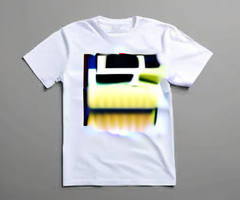
일부 영역만 다시 그리기 위해서 사용 -> 정확하게 지정이 되지 않음, Noise 발생하여 생성한 그림이 옷에 그려지지 않음
Mac 관련 Backend – MPS 사용 관련
생각보다 Mac 환경에서 잘 돌아갔다.
Memory 소모(896x896 해상도 생성 기준): SD3.5 경우 60GB 정도, SDXL 경우 최대 40GB 정도
VAE, float-16, model 사용하는 경우 주의
안전하게 vae 설정하기 위해 아래와 같이 설정했다
def install_input_dtype_hooks(root_module: torch.nn.Module):
    """Conv/Linear 입력을 모듈 weight.dtype로 강제 캐스팅 (MPS float/half 섞임 방지)"""
    def _pre_hook(mod, inputs):
        if not hasattr(mod, "weight") or mod.weight is None:
            return
        wdt = mod.weight.dtype
        def _cast(x):
            if isinstance(x, torch.Tensor) and x.dtype != wdt:
                return x.to(dtype=wdt)
            return x
        return tuple(_cast(t) for t in inputs)
    for m in root_module.modules():
        if isinstance(m, (nn.Conv1d, nn.Conv2d, nn.Linear)):
            m.register_forward_pre_hook(_pre_hook, with_kwargs=False)

def install_input_dtype_hooks(root_module: torch.nn.Module):
    """Conv/Linear 입력을 모듈 weight.dtype로 강제 캐스팅 (MPS float/half 섞임 방지)"""
    def _pre_hook(mod, inputs):
        if not hasattr(mod, "weight") or mod.weight is None:
            return
        wdt = mod.weight.dtype
        def _cast(x):
            if isinstance(x, torch.Tensor) and x.dtype != wdt:
                return x.to(dtype=wdt)
            return x
        return tuple(_cast(t) for t in inputs)
    for m in root_module.modules():
        if isinstance(m, (nn.Conv1d, nn.Conv2d, nn.Linear)):
            m.register_forward_pre_hook(_pre_hook, with_kwargs=False)

def _maybe_load_cyber_adapters(p):
    """가지고 있는 어댑터(TI/LoRA)를 파이프에 등록. 등록만 하고, 실제 사용할지는 스타일 단계에서 on/off."""
    # TI
    if ENABLE_CYBER_TI and os.path.exists(CYBER_TI_PATH):
        try:
            p.load_textual_inversion(CYBER_TI_PATH, token=CYBER_TRIGGER_TOKEN)
            print("[CYBER] Textual Inversion loaded:", CYBER_TI_PATH)
        except Exception as e:
            print("[CYBER] TI load failed:", e)
    # LoRA
    if ENABLE_CYBER_LORA and os.path.exists(CYBER_LORA_PATH):
        try:
            p.load_lora_weights(CYBER_LORA_PATH, adapter_name="cyber")
            print("[CYBER] LoRA loaded:", CYBER_LORA_PATH)
            # 로라 로드 후에도 훅 다시 장착(방금 생긴 모듈까지 포괄)
            _install_hooks_everywhere(p)
        except Exception as e:
            print("[CYBER] LoRA load failed:", e)

p = StableDiffusion3InpaintPipeline.from_pretrained(
        MODEL_ID_SD3, torch_dtype=DTYPE, use_safetensors=True, low_cpu_mem_usage=True
    ).to(device)

if getattr(p, "safety_checker", None):
    p.safety_checker = lambda images, clip_input: (images, [False]*len(images))
try:
    p.enable_attention_slicing()
    p.vae.enable_slicing()
    p.vae.enable_tiling()
except: pass
_install_hooks_everywhere(p)
_maybe_load_cyber_adapters(p)설정 및 용어
- DTYPE : float16
- Strength : 원본과 차이가 나도록 변형
- Feather : 부드럽게 변형 (Gaussian Blur 반경)
Prompts
아래 guide, strength, steps 값은 BASE 값을 넣고 각 화풍 별로 더하거나 빼서 사용했다.
IDENTITY_LOCK = (
	"피사체 동물의 특징(무늬, 등, 옆구리, 색상 등)을 고정하는 명령"
)

NEG_BASE = (
	"피하거나 금지해야할 화풍, 묘사"
)

# S1 = 피사체, S2 = 배경)
S1_STRENGTH, S1_STEPS, S1_GUIDE = 0.30, 10, 2.6
S2_STEPS_BASE, S2_GUIDE = 16, 2.9

# Prompt 구조
STYLES = {"STYLE_NAME" : {
	"subject_prompt": (
		"피사체 화풍 묘사" + IDENTITY_LOCK
		),
    "bg_prompt": (
    	"배경 묘사"
    ),
    "USE_SDXL": False
    "neg": NEG_BASE + "화풍에 맞지 않는 묘사",
    "img2img": {"guidance": 2.6, "strength": 0.42, "steps": S1_STEPS - 2},
    "inpaint": {"guidance": 2.9, "strength": 0.80, "steps": S2_STEPS_BASE},
}}(실패한) 도마뱀 결과물들
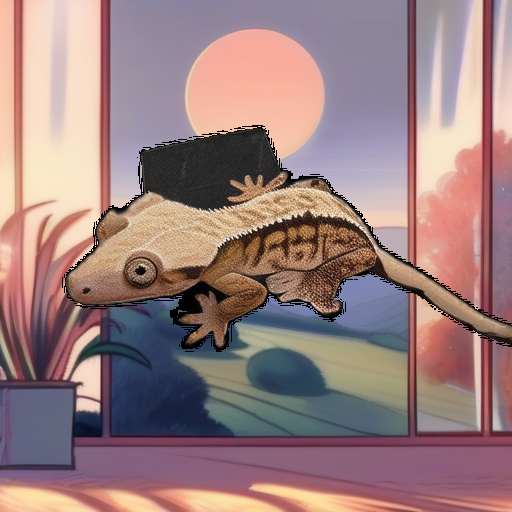
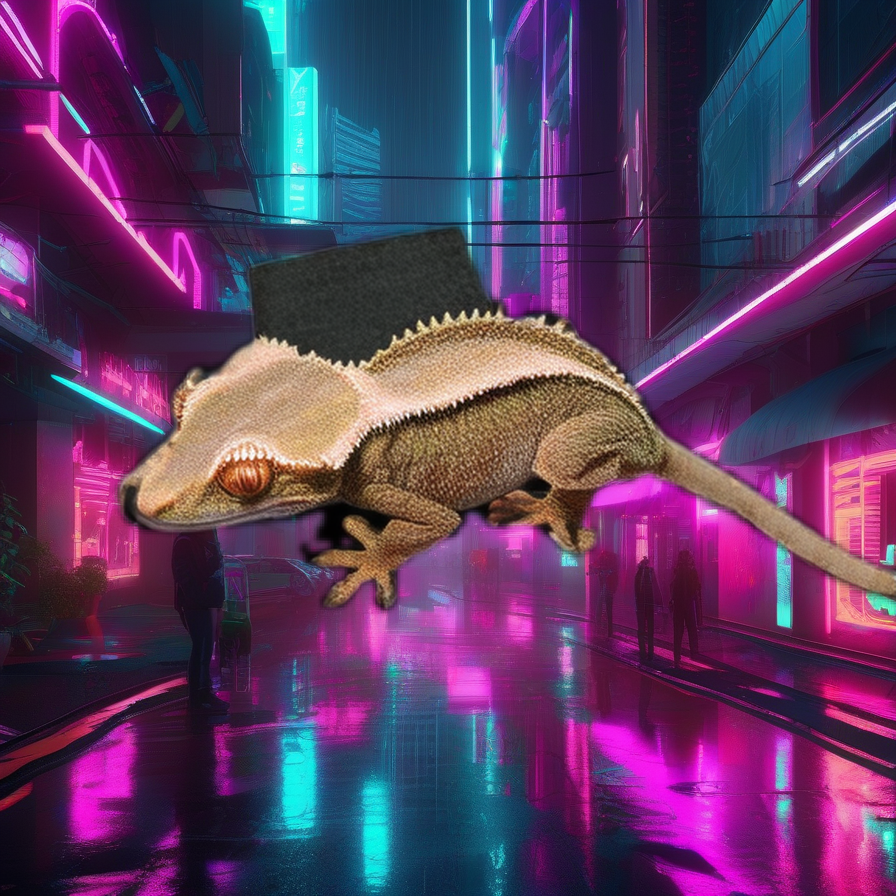
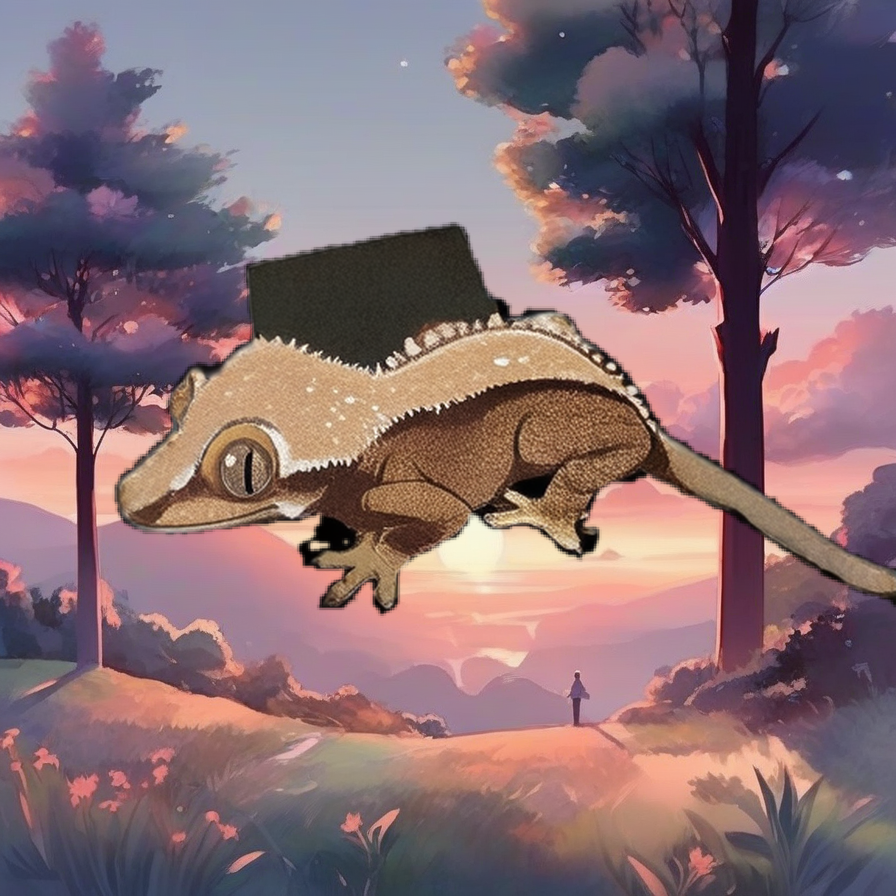
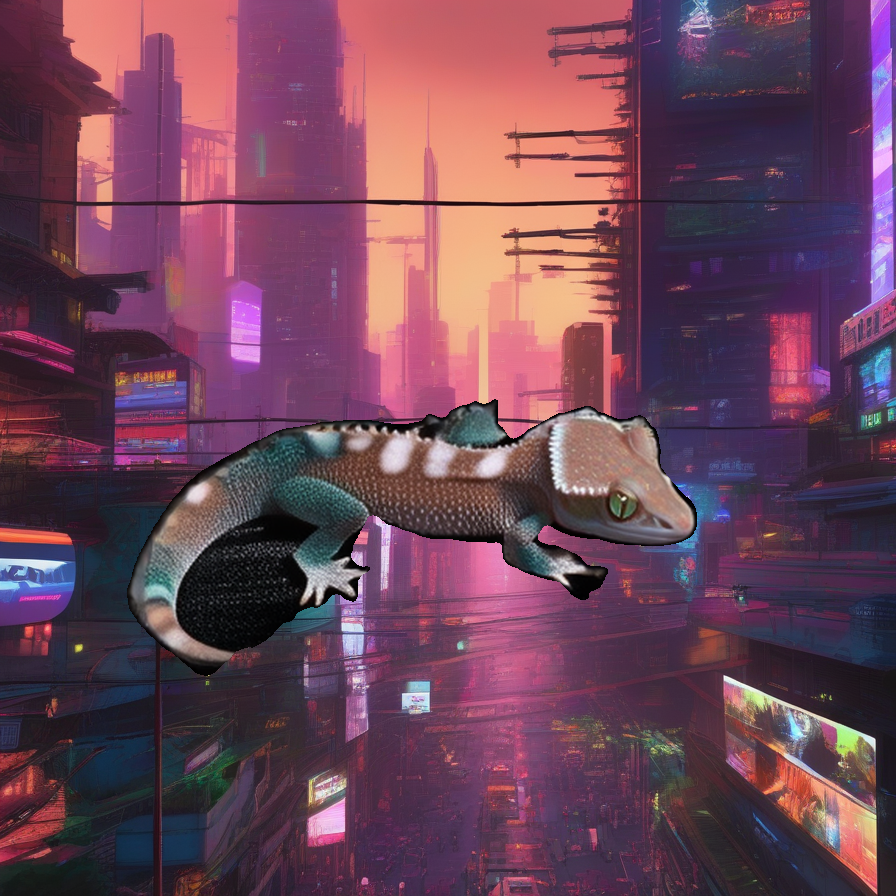
Inpaint + Strong Strength
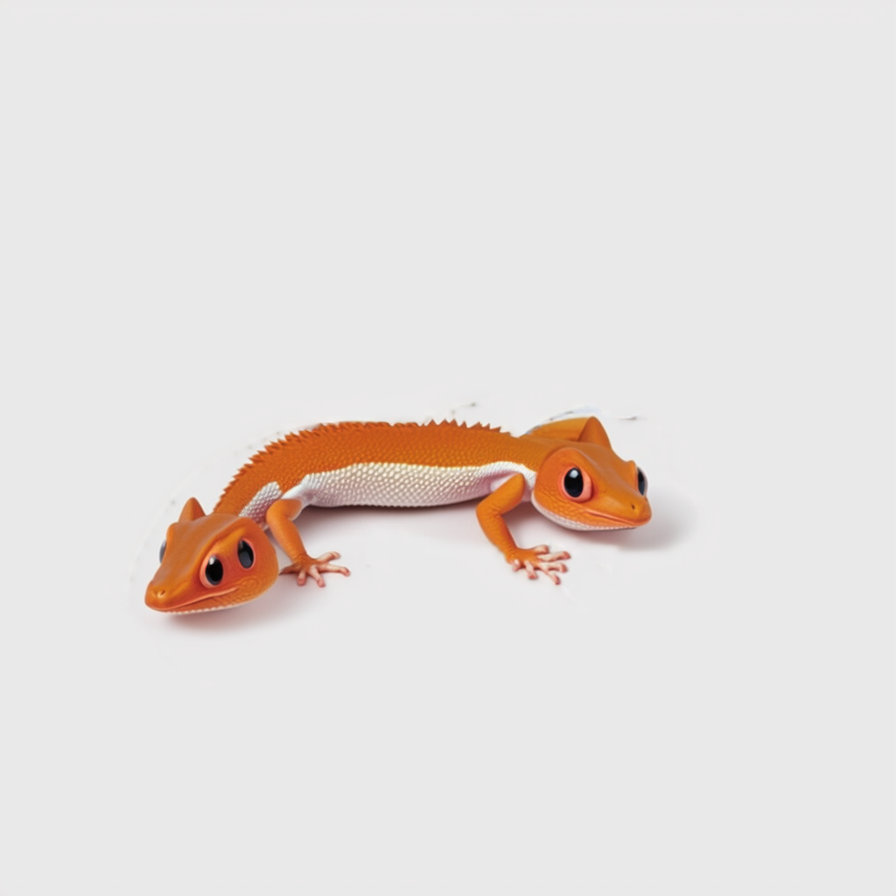
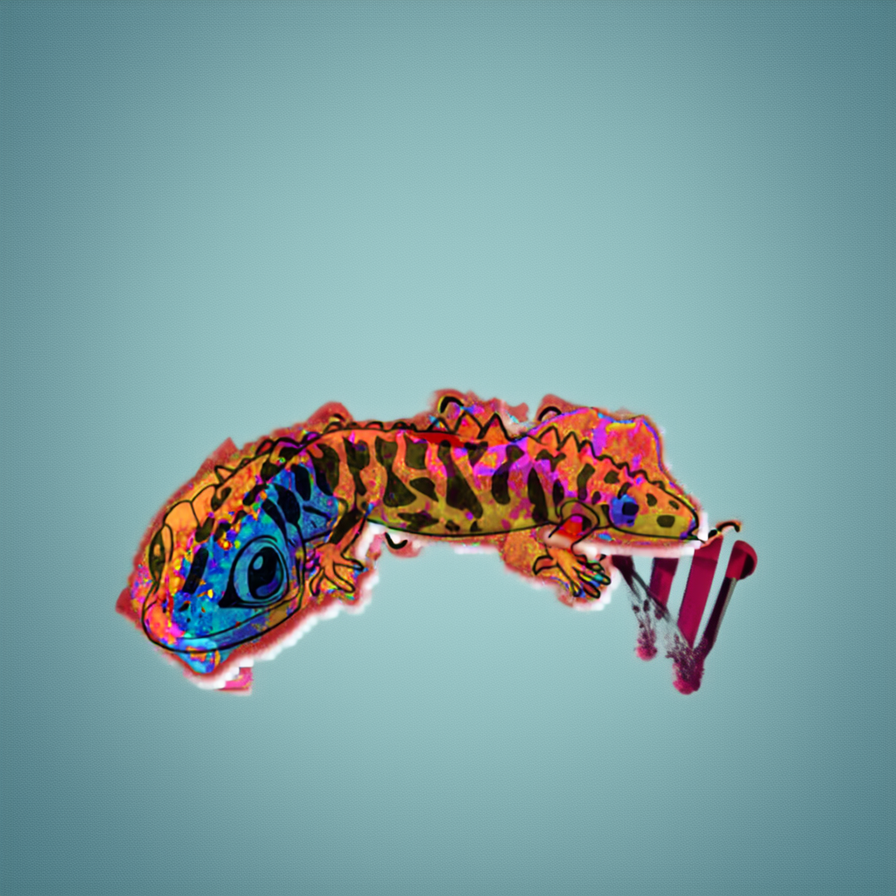
Mock Up (실패)
실수들
실수를 정리하자면
- pipeline 불러온 후 다시 쓰도록 해야 loading 시간을 줄일 수 있음 (pipeline load 시간 3~4분, 그림 1장 생성은 빠르면 30초)
- DTYPE=torch.float16 설정이라면 다른 입력/출력도 float16 차원에 맞추어야함
- inpaint 처리 할 때 guidance 및 strength 적절히 배분해야 원하는 결과물이 나올 듯